
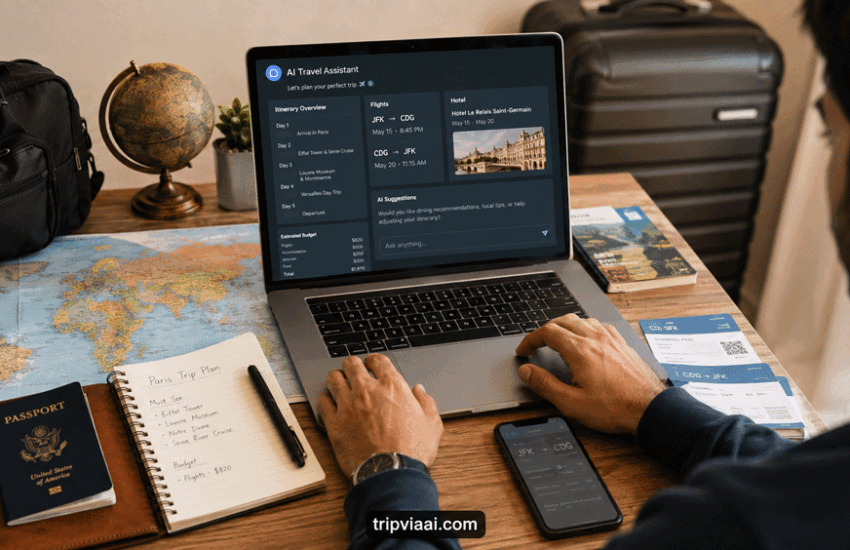
 Posted by
 Introduction
Planning a trip from start to finish can feel overwhelming when you have to research destinations, compare flights and hotels, build an itinerary, estimate costs, and prepare everything before departure. AI can make this process more manageable by helping you organise information and turn a long list of travel decisions into clear, practical steps.
If you often find yourself unsure where to begin, our How to Plan a Trip Without Feeling Overwhelmed guide can help you create a simpler planning process before bringing AI into the picture.
The real advantage of AI travel planning is not that it can make every decision for you. Instead, it can help you brainstorm ideas, organise your preferences, create an initial itinerary, build checklists, and identify things you may have forgotten.
In this guide, you’ll learn how to use AI to plan a trip from the first destination ideas to your final travel preparations. You’ll also learn how to give better prompts, check AI-generated information, and turn its suggestions into a realistic plan that fits your budget, interests, and travel style.
How Can AI Help Plan a Trip?
You can use AI to plan a trip by giving it your destination, dates, budget, travel style, interests, and practical limitations. AI can then help you brainstorm destinations, organise a daily itinerary, compare options, create packing lists, identify planning gaps, and turn scattered ideas into a more manageable travel plan.
The best results come when you give AI detailed information and then verify important details before making bookings.
Quick Overview: How AI Can Help You Plan a Trip
| Travel Planning Task | How AI Can Help | What You Should Verify |
|---|---|---|
| Destination research | Compare destinations based on budget, interests, weather, and travel style | Current travel conditions and entry requirements |
| Itinerary planning | Organise attractions into a realistic daily schedule | Opening hours, reservations, and travel times |
| Flight research | Create comparison criteria for fares, baggage, and connections | Current prices and airline schedules |
| Budget planning | Divide your budget into practical spending categories | Actual prices before booking |
| Packing | Create a personalised checklist based on your trip | Airline baggage rules and destination requirements |
| Hotels | Create a comparison checklist based on location and priorities | Current rates, reviews, fees, and cancellation policies |
| Transportation | Explain possible local transportation options | Current routes, fares, and service updates |
| Final preparation | Organise documents, bookings, and pre-trip tasks | Original confirmations and official information |
1. How to Use AI to Plan a Trip With Your Travel Preferences
Before asking AI to create a complete itinerary, give it enough information to understand your trip. Include your destination, travel dates, number of travellers, approximate budget, interests, preferred travel pace, accommodation preferences, and anything you want to avoid. This makes how to use AI to plan a trip much more practical than simply asking for a generic vacation plan.
For example, instead of writing “Plan a trip to Italy,” provide more context:
“Help me plan a 7-day Italy trip for two adults in September with a moderate budget. We enjoy food, historic sites, scenic walks, and local neighbourhoods. We prefer a relaxed itinerary and don’t want to change hotels every night.”
You can also tell AI whether saving money, reducing travel time, having fewer hotel changes, or finding quieter experiences matters most to you. The more relevant information you provide, the easier it becomes for AI to create suggestions that match your actual travel style.easier it becomes to use AI as a practical travel planning assistant rather than receiving a generic list of suggestions.
2. Use AI to Compare Destinations Before Booking
If you haven’t decided where to travel, AI can help you compare destinations according to your budget, interests, weather preferences, and preferred travel pace. This is another practical way of using how to use AI to plan a trip before spending money on flights or accommodation.
Instead of asking, “What’s the best destination?”, give AI specific criteria. For example:
“Compare Lisbon, Barcelona, and Rome for a five-day trip in October. I’m interested in food, history, walkable neighbourhoods, moderate costs, and a relaxed pace. Explain the main advantages and disadvantages of each.”
You can then ask AI to change the comparison based on your priorities. For example, you might want lower costs, fewer hotel changes, shorter transportation times, or more family-friendly activities.
AI can help narrow your choices, but don’t treat its recommendation as final. Check current prices, entry requirements, seasonal conditions, and other important details before booking.

AI Travel Planning and Destination Comparison
3. Use AI to Build a Day-by-Day Travel Itinerary
Once you’ve chosen a destination, AI can turn your ideas into a practical daily schedule. Give it your trip length, accommodation area, interests, preferred pace, and activities you definitely want to include. This makes how to use AI to plan a trip much more useful than simply asking for a list of attractions.
For example, ask AI to group nearby attractions on the same day, leave enough time for meals and rest, and avoid packing too many activities into one schedule. You can then ask it to make a particular day slower, reduce walking, or move an outdoor activity to another day.
Don’t follow the itinerary blindly. Check actual opening hours, reservation requirements, transportation times, and current conditions before finalising your plans.
If you’re planning your first trip, our Beginner Friendly Travel Itinerary to Plan Your First Trip Easily guide can also help you understand how to structure a manageable itinerary.
4. Use AI to Research Flights and Transportation
AI can help you decide what to look for when comparing flights and transportation, especially when several options have different prices, schedules, baggage allowances, or layovers. Give AI your route, approximate dates, preferred departure times, baggage needs, and whether you’re comfortable with connections.
For example, ask it to create a checklist comparing total travel time, baggage rules, layover length, airport location, and overall convenience rather than focusing only on the cheapest ticket.
This is a useful part of how to use AI to plan a trip because it helps you organise your choices before booking. However, don’t rely on AI for current fares, seat availability, or final flight schedules. Verify those details directly with the airline or booking provider before paying.
For international travel, also check the airport you will actually arrive at and how you will reach your accommodation, as the cheapest flight isn’t always the most convenient overall option.

Using AI to Compare Flights and Travel Options
5. Use AI to Plan a Realistic Travel Budget
One of the biggest problems with trip planning is creating an itinerary that looks affordable at first but becomes expensive once accommodation, transportation, food, activities, and unexpected costs are added. AI can help you spot these gaps before you start booking.
Give AI your total budget, number of travellers, trip length, destination, and preferred travel style. Then ask it to divide the budget into practical categories and identify where you may be overspending.
For example, you can ask:
“I have a $2,500 budget for two people for seven days. Create a realistic budget for accommodation, transportation, food, activities, and unexpected expenses. Show me which areas I should control if the estimated cost goes over budget.”
If the result exceeds your budget, don’t simply ask AI to make everything cheaper. Ask it which changes would reduce costs without damaging the most important parts of the trip. You can also learn more about expenses that are easy to overlook in our Hidden Travel Costs Most Travelers Forget to Budget For guide.
AI estimates can become outdated, so use them for planning rather than treating them as current prices. Check actual hotel, flight, activity, and transportation costs before booking.
6. Use AI to Create a Packing List That Matches Your Trip
Packing becomes difficult when you’re unsure what you’ll actually need. A generic packing list often encourages overpacking because it doesn’t consider your destination, weather, activities, luggage limits, or trip length.
AI can create a more useful list when you provide those details. Tell it where you’re going, when you’re travelling, how long you’ll stay, what activities you’re planning, and whether you’re travelling with checked luggage or only a carry-on.
For example:
“Create a packing list for a 10-day international trip in September. I’ll be staying in hotels, walking around cities, attending one smart-casual dinner, and travelling with a carry-on.”
After generating the list, ask AI to remove unnecessary items and separate essentials from optional items. This can help reduce luggage weight and make packing more organised.
For medications, travel documents, electronics, and destination-specific requirements, use AI as a planning aid but verify important requirements through reliable sources before your trip.

AI-Powered Travel Packing Checklist
7. Use AI to Research Hotels and Accommodation
Choosing a hotel isn’t only about finding the lowest nightly price. Location, transportation, cancellation terms, room type, and the distance from the places you actually want to visit can have a major effect on your total trip experience.
You can use AI to create a hotel comparison checklist based on your destination, budget, preferred neighbourhood, and travel priorities. For example, ask it to compare what matters most for a first-time visitor rather than simply asking, “Find me a cheap hotel.”
You can also ask AI to help you identify questions such as:
- Is the location convenient for my itinerary?
- How much time might I spend reaching major attractions?
- What additional fees should I check?
- What cancellation conditions should I review?
AI can help organise your research, but verify current prices, availability, reviews, hotel policies, and fees directly before booking. This is another practical example of how to use AI to plan a trip without choosing accommodation based only on price.
8. Use AI to Improve Your Itinerary Before You Travel
Your first itinerary doesn’t have to be your final itinerary. One of the most useful ways to use AI for travel planning is to ask it to find weaknesses in a plan you’ve already created.
Paste your itinerary into an AI tool and ask it to look for unrealistic travel times, overly busy days, unnecessary backtracking, insufficient rest, or activities that may be difficult to combine.
For example, you could ask:
“Review this 5-day itinerary and identify days that are too busy. Suggest changes that reduce unnecessary travel without removing the three activities I care about most.”
This can help you turn an exciting but unrealistic schedule into a plan that is easier to follow.
You can also ask AI to create alternative versions of the same day, such as a budget option, rainy-day option, slower-paced option, or low-walking option. That gives you flexibility without having to rebuild your entire itinerary from scratch.
Always check the actual opening hours, reservation requirements, and transportation times before finalising the changes.
If you want to make your schedule more adaptable, our How to Build a Flexible Travel Itinerary That Actually Works guide can help you create an itinerary that leaves room for unexpected changes.

AI Reviewing and Improving a Travel Itinerary
9. Use AI to Plan Local Transportation
Getting around a destination can become confusing when you’re unfamiliar with the local transportation system. AI can help you understand the available options before you arrive and make how to use AI to plan a trip more practical beyond flights and hotels.
Tell AI where you’re staying, which attractions you want to visit, and your preferred transportation style. You can ask it to explain whether public transportation, walking, taxis, rideshares, rental cars, or a combination would make the most sense for your itinerary.
For example, ask:
“I’m staying in central London for five days. Explain the best transportation options for reaching the attractions in my itinerary and tell me when walking or public transportation may be more practical.”
AI can help you identify possible transportation choices, but verify current routes, fares, operating hours, and service changes through official transportation sources before travelling. Understanding these options is another useful part of how to use AI to plan a trip before you arrive.
10. Use AI to Create a Complete Pre-Trip Checklist
Even a well-planned trip can become stressful when small details are forgotten. Learning how to use AI to plan a trip can help you turn your itinerary into a final checklist covering the tasks that need to be completed before departure.
Give AI your destination, travel dates, trip length, and itinerary, then ask it to create a checklist covering documents, bookings, payments, packing, transportation, and other preparations.
You can then ask AI to divide the checklist into one month before, one week before, the day before, and departure day. This makes a long list easier to manage and reduces the chance of leaving important tasks until the last minute.
Before relying on the checklist, compare it with your airline’s requirements and the official entry rules for your destination. AI can help you organise your preparation, but it should not replace checking official travel requirements.
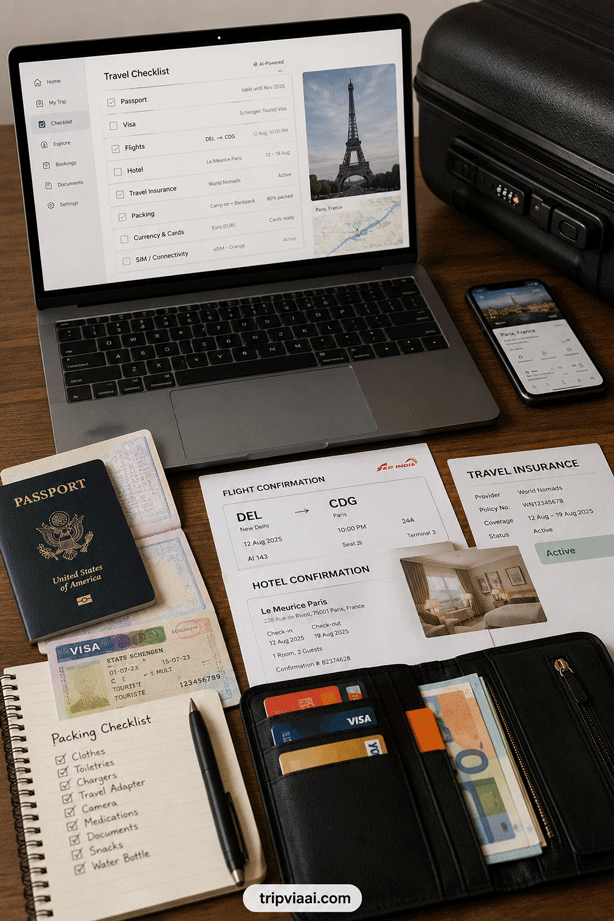
AI Creating a Complete Pre-Trip Checklist
11. Use AI to Prepare for Common Travel Problems
A good trip plan should include more than sightseeing and bookings. Delays, missed connections, bad weather, lost luggage, or a closed attraction can quickly disrupt your plans. Learning how to use AI to plan a trip can help you think through these situations before they happen.
Ask AI to review your itinerary and identify possible problems based on your destination, transportation, and schedule. Then ask for practical backup options.
For example, you could ask:
“Review my itinerary and list the three problems most likely to disrupt it. Give me a simple backup plan for each one.”
You can also ask AI to prepare alternative activities for rainy weather, a missed connection, or a cancelled reservation. This gives you options instead of forcing you to rebuild the entire trip when something changes.
However, verify emergency contacts, airline policies, local alerts, and official travel information separately. AI should help you prepare for problems, not replace reliable emergency or official information. Preparing these backup options is another practical way to apply how to use AI to plan a trip when unexpected changes occur.
12. Ask AI to Find Weaknesses in Your Complete Trip Plan
Once your flights, accommodation, activities, and transportation are roughly organised, don’t assume the itinerary is automatically practical. One of the most useful ways how to use AI to plan a trip is to let it review your finished plan and look for problems you may have missed.
Give AI your complete itinerary and ask it to check for unrealistic travel times, excessive activities, unnecessary backtracking, short connections, or days with too little flexibility.
For example:
“Review my complete itinerary for unnecessary travel, rushed days, scheduling conflicts, and activities that may be difficult to complete together. Suggest practical improvements without removing my three highest-priority activities.”
This creates a second layer of planning before you spend money on bookings. You can then make the final decisions yourself after checking actual opening hours, transportation schedules, reservation requirements, and current conditions.

AI Reviewing a Complete Travel Plan for Problems
13. Use AI to Organize All Your Travel Information
Once your flights, hotel, itinerary, transportation, and activities are decided, travel information can become scattered across emails, booking confirmations, notes, and apps. AI can help you turn those details into one simple travel summary, making how to use AI to plan a trip useful even after the main planning work is finished.
You can give AI your confirmed travel details and ask it to organise them into sections such as flights, accommodation, transportation, reservations, important contacts, and daily plans.
For example, ask:
“Organise these confirmed travel details into a simple trip summary with dates, times, addresses, confirmation numbers, and important reminders. Don’t change any information.”
Keeping the instruction to organise rather than invent or modify details is important. Check the original booking confirmations against the final summary before relying on it during your trip. Organising everything this way makes how to use AI to plan a trip useful even after your main itinerary has been created.
14. Use AI as a Personal Travel Assistant During Your Trip
AI can continue to be useful after you leave home. Instead of using how to use AI to plan a trip only during the preparation stage, you can use it to adjust plans when circumstances change.
For example, if rain affects an outdoor activity, you can ask AI to rearrange your day around indoor attractions. If you’re tired after a long journey, you can ask for a slower alternative that keeps only your highest-priority activity.
You can also ask AI to help organise restaurant ideas, explain unfamiliar travel terms, create a short list of things to do near your current area, or adjust your itinerary when you have extra time.
However, verify important real-time information before acting on it. For transportation disruptions, emergency situations, opening hours, or official requirements, rely on current information from the relevant airline, transport authority, government website, or local provider.

Using AI as a Personal Travel Assistant
15. Ask AI to Review Your Final Trip Plan Before You Leave
Before departure, give AI one final version of your itinerary and ask it to review the entire trip from beginning to end. This final check can make how to use AI to plan a trip more useful because it brings your separate planning decisions together in one place.
Ask AI to look for missing bookings, unrealistic schedules, unnecessary travel between locations, insufficient rest time, forgotten preparation tasks, and possible conflicts between your flight, hotel, activities, and transportation.
For example:
“Review my complete international trip plan and create a final list of anything I should verify or complete before departure. Don’t assume information that isn’t provided.”
Use the result as a final planning checklist, not as confirmation that everything is correct. Compare important details with your actual booking confirmations and official sources before leaving.
The goal is to catch small planning gaps while you still have time to fix them. A final review can make your trip more organised without requiring you to rebuild the entire itinerary.

Final AI Travel Plan Review Before Departure
Conclusion
AI can make trip planning much easier when you use it to organise information, compare options, build realistic itineraries, manage your budget, and prepare for unexpected situations. The biggest benefit isn’t letting AI plan every detail for you. It’s reducing the time and effort required to turn your travel ideas into a practical plan.
The most effective approach to how to use AI to plan a trip is to provide specific information, ask follow-up questions, review the suggestions, and verify important details before making decisions. This helps you get the convenience of AI without blindly relying on information that may be outdated or incomplete.
Use AI to handle the repetitive planning work, but keep the final decisions in your hands. Check official sources for current travel requirements, bookings, transportation information, and other time-sensitive details.
With the right approach, AI can become a useful travel planning assistant that helps you spend less time organising your trip and more time looking forward to the journey.
With the right approach, AI can become a useful travel planning assistant that helps you spend less time organising your trip and more time looking forward to the journey with TripViaAI.
FAQs About Using AI to Plan a Trip
1. How can I use AI to plan a trip?
You can use AI to research destinations, compare travel options, create an itinerary, estimate your budget, build a packing list, organise travel information, and prepare a final checklist. The best results come when you provide specific details about your dates, budget, interests, and travel preferences.
2. Can AI create a complete travel itinerary?
Yes, AI can create a day-by-day itinerary based on your destination, trip length, interests, budget, and preferred travel pace. However, you should review the itinerary and verify opening hours, transportation times, reservations, and other time-sensitive details before following it.
3. Can AI help me plan a trip on a budget?
Yes. How to use AI to plan a trip on a budget can include asking AI to divide your available money between accommodation, transportation, food, activities, and unexpected expenses. You can then ask it to suggest areas where you could reduce costs without removing your highest-priority experiences.
4. Can AI help with flights and hotels?
AI can help you create comparison checklists for flights and accommodation, identify factors worth considering, and organise your research. However, current prices, availability, baggage rules, cancellation policies, and hotel fees should always be checked directly with the airline, hotel, or booking provider.
5. Should I trust everything AI tells me about travel?
No. AI can be extremely useful for organising and brainstorming your trip, but travel information can change and AI can sometimes provide incomplete or incorrect information. Before making important decisions, verify visas, entry requirements, flight details, transportation schedules, hotel policies, and other time-sensitive information through reliable current sources. That’s why learning how to use AI to plan a trip should always include checking important information before relying on it.